

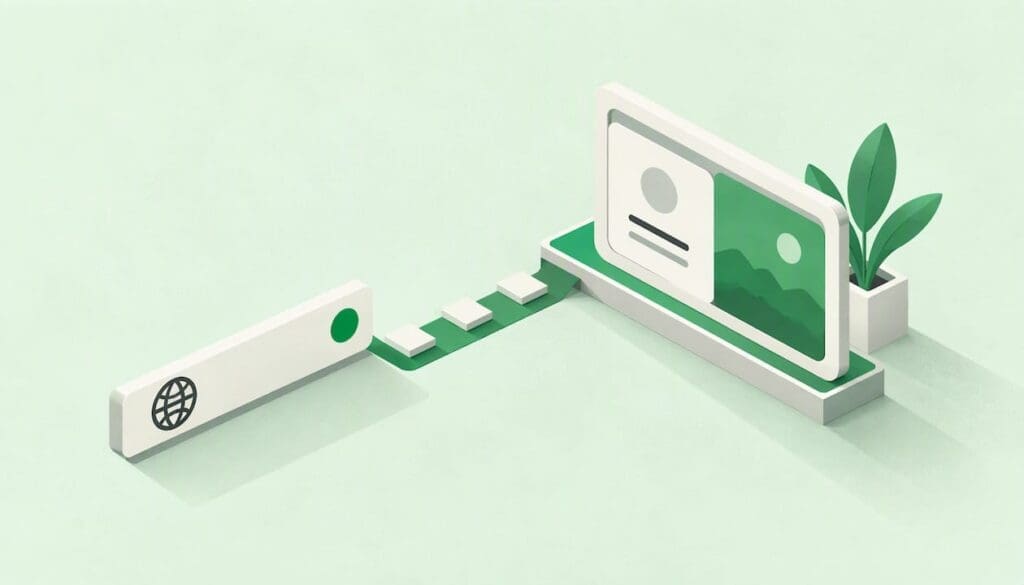
A digital business card URL is the web address that opens your card on someone else’s phone: your name, role, contact details, social profiles and links, all in one page. You can type it into a message, put it in an email signature, turn it into a QR code or load it onto an NFC tag. A good one is short, readable aloud, and stays the same even when your details change. This guide covers how the link works, how to name it, whether to use your own domain, and how to share it safely in New Zealand.
TL;DR
- Your card’s URL is a single, permanent address. The page behind it can change, but the address should not.
- Keep the name short, based on your real name or business, with no random strings, underscores or years.
- A dynamic QR code or NFC tag pointing at that URL means you never have to reprint when something changes.
- A .nz domain signals local presence to New Zealand customers, so consider one if you want a branded address.
- Share only what you would be happy for a stranger to read, and keep the page up to date, as the Privacy Act expects.
Table of Contents
- What a digital business card URL actually is
- How to create and share your card link
- How to name a digital business card URL
- Custom domain or hosted link?
- Sharing your link by QR code or NFC
- Changing details without breaking the link
- Privacy and security when you share your URL
- Our view: the link is the product
- Get a card link you can keep
- FAQ
- Sources
What a digital business card URL actually is
Think of the URL as the front door and the card as the room behind it. The door’s address stays fixed. What is inside, your phone number, job title, portfolio or booking link, can be rearranged whenever you like.
That is the real difference from a printed card. Once ink is on card stock, a wrong mobile number is wrong forever. With a link, the person who scans or taps tomorrow sees today’s details. Our guide to a secure, live digital business card walks through how the QR, link and contact file (vCard) fit together.
You will also hear the same thing called a digital business card link, a profile link or a card page. They all mean the same address. What differs is where it lives:
- A hosted link sits on the card platform’s own domain. It is quick to set up, and the platform handles the page, the security certificate and the contact download.
- A custom or branded link uses your own domain or a subdomain you control, and forwards to the card page.
Neither is wrong. The right pick depends on how much you want the address itself to carry your brand.
How to create and share your card link
The process is short. The thinking goes into steps 2 and 5.
- Build the card. Add your name, role, business, the contact methods you actually answer, and the two or three links people most often ask for. Resist the urge to add everything.
- Choose the address name. Decide the ending of your URL before you share it anywhere. Changing it later is the one thing that can break the links you have already handed out (more on that below).
- Open it on your own phone. Check it loads quickly on mobile data, the phone number dials on tap and the “save contact” button works.
- Ask a colleague to open it. Someone who has never seen it will spot unclear wording in seconds. Ideally they should not need to install an app to view it.
- Put the link where people already look. Email signature, LinkedIn profile, proposal footers, conference lanyard, a QR code on your phone’s lock screen. Our article on how to share a business card link covers methods and etiquette in detail, and our comparison of email signatures and digital cards shows how the two work together.
- Check it again in a week. Open it from a different network, and make a note to test any printed QR codes after a few months.
If you want ideas on what to put on the page, 10 mobile-first digital business card examples shows layouts for different professions.
How to name a digital business card URL
The name is the part of the URL you control, and it is what people read, say aloud and type. Most people only ever get to decide it once, so it pays to spend ten minutes on it.
Rules that hold up in practice
- Use the name people already know you by. If colleagues say “Aroha Ngata”, use aroha-ngata or arohangata, not aroha-n-2026.
- Keep it short enough to say on the phone. If you cannot read it out in one breath, it is too long.
- Avoid characters people cannot hear. Underscores, double hyphens and strings of numbers all invite typos. One hyphen between words is plenty.
- Skip the year, the job title and the department. Roles change. A name ending in “sales-manager” becomes wrong the day you are promoted.
- Use lowercase. Capital letters add nothing and people will wonder whether they matter.
- Check for lookalikes. Ask yourself whether someone could confuse it with another person or business. If you share a name with a well-known person, add your trade or town, not a random number.
- Think about people with more than one card. If you run a consultancy and a side project, name each address for what it is, not for you.
Examples
| Situation | Weak name | Stronger name | Why |
|---|---|---|---|
| Sole consultant | jsmith_consulting_2026 | jamie-smith | Short, no year, easy to say |
| Electrician with a trading name | jones-electrical-wellington-nz | jones-electrical | Location can sit on the card itself |
| Sales rep in a team | acme-sales-rep-04 | priya-patel | Reads as a person, survives a role change |
| Second card for a side project | jamie-smith-2 | jamie-smith-photography | Describes the card’s purpose |
For teams, consistency matters more than cleverness. Pick one pattern, such as first name then last name, and apply it to everyone so that the whole staff list looks organised. Where two people share a name, decide on a tie-break rule in advance. Our employee digital business card guide covers how central management helps here.
One more practical point: Registry.r.nz, a .nz domain business, makes a similar case that a short, memorable name is what makes a card link easy to remember and reuse.
Custom domain or hosted link?
A hosted link is the fastest way to be live. You get a working address today, and the platform looks after the technical side. For most individuals and small teams that is plenty.
A custom domain makes sense when the address itself is part of your brand: a firm that already sends all clients to its own website, or a team that wants every card to sit under the company name. In New Zealand there is a local angle. InternetNZ’s 2025 research found the .nz domain remains the most trusted and preferred choice for New Zealand businesses, because it signals a local presence and builds credibility with local customers. The same report treats a domain name as a key brand asset.
Here is a simple way to decide:
| Question | If yes, lean towards |
|---|---|
| Do you need a working card address today? | Hosted link |
| Do you already own a .nz domain you use for email and your website? | Branded link on that domain |
| Will clients see the address printed on signage, vehicles or brochures? | Branded link |
| Is this a personal card you may carry between employers? | Hosted link in your own name |
That last row is worth a moment. A card on your employer’s domain belongs to your employer. If you move on, the link goes with the job. Someone who builds their reputation personally, such as a consultant, a real estate agent or a freelancer, is often better off with an address they own.
Whichever you choose, treat the address as long-lived. Do not put it on 5,000 printed flyers until you are sure.
Sharing your link by QR code or NFC
The URL is the foundation. QR codes and NFC are two ways of delivering it.
QR codes suit anything printed or displayed: a card, a lanyard, a poster, a vehicle door. The key choice is between static and dynamic codes. Registry.r.nz recommends dynamic QR codes over static ones for business cards, because the destination can be updated at any time without reprinting the code. A static code bakes the address into the pattern. If the address changes, every printed copy is dead.
The same source suggests printing a QR code at roughly 2 cm by 2 cm with a clear quiet zone (the blank margin around it), and testing it with more than one phone and more than one QR generator before you send anything to print. Our own print guides go further:
- QR code size for business cards for sizing against your card layout
- Where to place the QR code on the card
- What to do when a QR code will not scan
- Preparing a QR business card for print
- Banner and large-format QR design when the code has to be read from a distance
NFC works by tapping a phone on a tag or card. Behind the tap is still a URL, so everything you decided about naming applies. It is handy at events and in meetings because there is nothing to line up or focus, though people with older phones may still want the QR code as a backup. Putting both on the same card is a sensible habit.
Plain links remain the most reliable of all. Paste the URL into a text, WhatsApp message, email or LinkedIn note, and the recipient only needs a browser.
One thing to schedule: even a dynamic code deserves a check. Our note for small businesses on keeping QR codes working suggests testing after one week and again after six months. If you capture leads at events, see how lead capture QR codes keep your follow-up list current.
Changing details without breaking the link
The question people worry about is simple: if my job, number or branding changes, do I lose the link?
With a live card, you should not. The address stays put and you edit the content behind it. Change your title, swap your phone number, add a new service, and everyone who scanned your code last year sees the new version next time they open it.
What can break a link is changing the address itself. Before you do that, run through this checklist:
- List where the old address lives. Email signature, LinkedIn, website footer, printed cards, event badges, proposals sent to clients, a QR code on a vehicle.
- Ask whether a redirect is possible. If the old address can forward to the new one, people with old copies still land on your card. If it cannot, treat the old address as lost.
- Check whether printed QR codes are dynamic. Dynamic ones can be re-pointed. Static ones cannot.
- Update the places you control first. Digital locations take minutes. Printed material is the slow part.
- Test the old and new address on two phones before announcing anything.
The easiest answer is the dull one: choose a name that will still suit you in five years and never touch it. Edit the card, not the address.
For businesses, the other change that matters is a person leaving. A card tied to a former employee should be switched off or reassigned the day they go, so clients are not sent to someone who no longer works there. Our employee offboarding checklist lists the steps.
Privacy and security when you share your URL
A card page is personal information in public. Treat it that way.
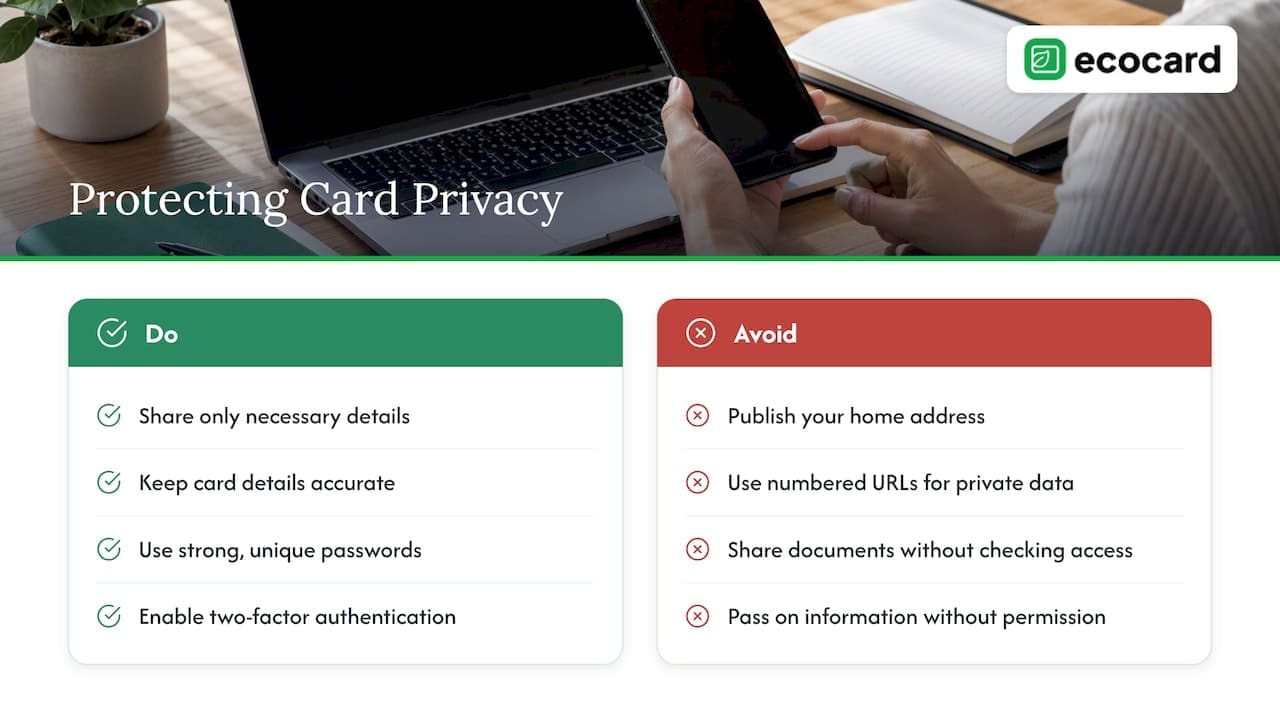
What goes on the page. Put only what you want a stranger, a competitor or a scraper to read. A work mobile and a business email are normal. A home address usually is not. If you are in a team, decide as a business which fields are standard.
What the law expects. Under the Privacy Act, New Zealand businesses must protect personal information, collect only what they need, and explain how, when and why they collect it. The same guidance says information should only be used if you are reasonably sure it is accurate and up to date, and should not be passed on without permission. That fits live cards neatly, since stale details are the easiest ones to get wrong. Business.govt.nz adds that a business needs a clear privacy statement and a designated privacy officer to handle privacy questions and complaints.
Do not use guessable addresses for private pages. The Office of the Privacy Commissioner has looked at a case where a company exposed customer information because people could change part of a web address, such as a booking number, and see someone else’s details. Its case note on that disclosure is a reminder that agencies are expected to have reasonable security safeguards. For a public business card this means: a name-based URL is fine because the page is meant to be public, but never put numbered sequences in front of private data such as customer records or internal documents. If you share documents through your card, check who can open them.
Protect the account behind the card. Whoever can log in can change what everyone sees. Netsafe’s guidance recommends strong, unique passwords, two-factor authentication and regular software updates. Apply all three to the account that manages your card, and to any admin who controls staff cards.
For a fuller checklist, see our guide to digital business card privacy for NZ professionals.
Our view: the link is the product
We build EcoCard around one idea: the address you hand out should outlast every detail on the page.
A printed card is a snapshot. A link is a promise that whoever follows it will find the current you. Most of the frustration we hear about with business cards comes from that gap: the number that changed, the old job title, the colleague who left but whose card is still in a client’s wallet.
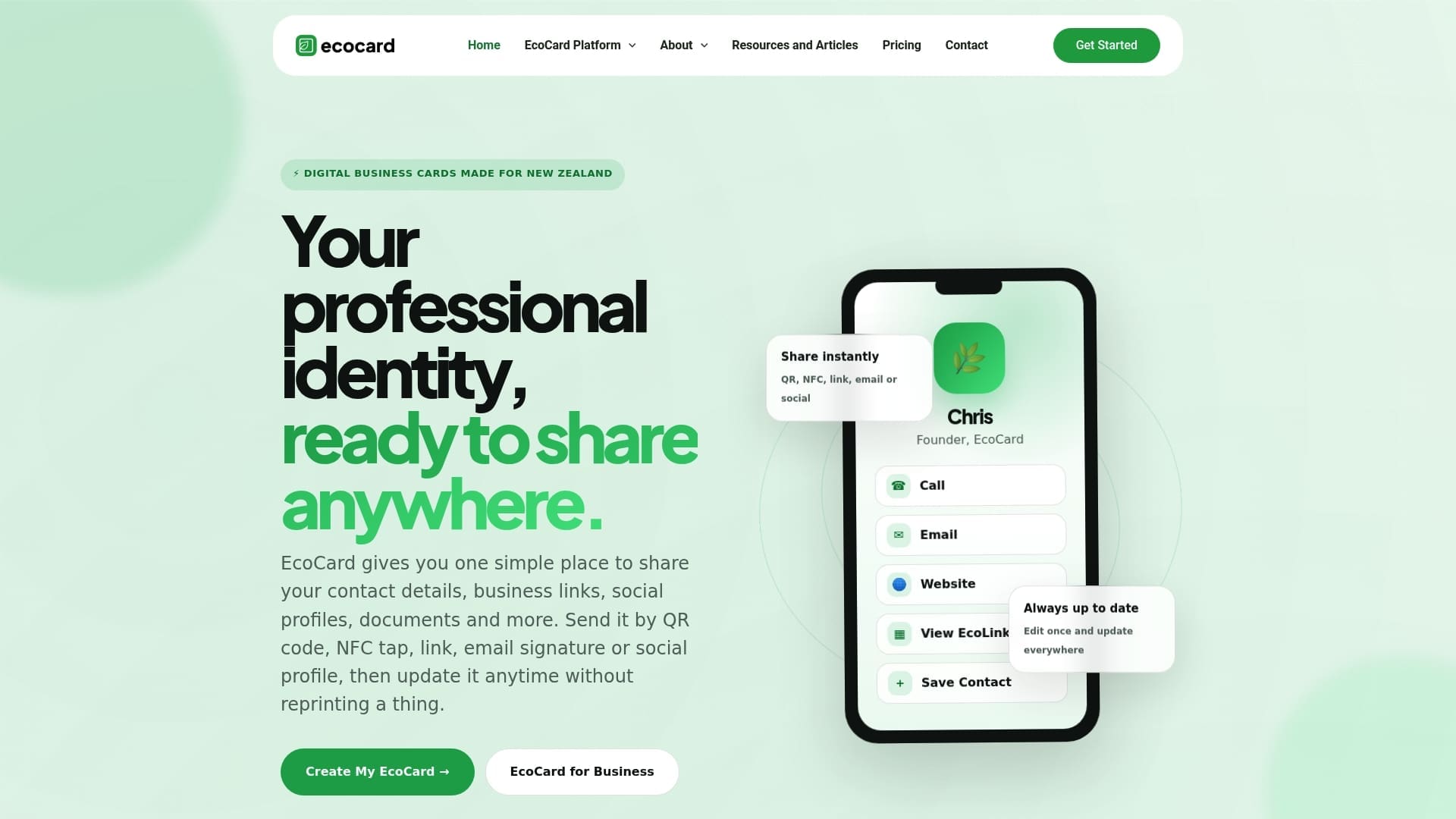
So we design for the link first. Cards update live, so a change to a role, a detail or the branding appears for everyone straight away. People who receive your card do not need to install an app, because a link in a message is the lowest-friction thing there is. You can hold more than one card and switch between roles, which suits a consultant with several lines of work. For businesses, central management means the company sets the branding once, and onboarding and offboarding become a matter of adding or removing a card instead of chasing a pile of reprints.
There is an environmental side too. Every reprint caused by a typo or a promotion is paper that did not need to be made, and our environmental impact page explains how we think about it.
Our advice, in short: pick a clean name, share it widely, and let the page do the changing.
— Chris
Get a card link you can keep
If you want a live card with a link, QR code and tap sharing, EcoCard’s Individual plan is NZ$9.99 per month, and extra cards for other roles are NZ$4.99 per month each. For teams, plans start with Starter at NZ$19.99 per month, then Business at NZ$49.99 per month and Teams at NZ$99.99 per month. Enterprise is available too, with no published price. See the pricing page for what each plan covers.
If you are setting up a card for yourself, start with the Individual EcoCard. If you are responsible for staff branding, look at EcoCard for Business or our guide to one-tap, live-updating cards for NZ teams.
FAQ
Can I change my digital business card link later?
Yes, but think of it as a last resort. Editing the card’s content never changes the address, so most updates are safe. Changing the address itself can break links already shared, particularly in static QR codes and printed material. If you must change it, list every place it appears first and test both addresses afterwards.
Should my digital business card URL include my name or my business?
Use your name if the card travels with you, such as a freelancer, consultant or agent. Use the business name if the card belongs to the business and the person may change. In teams, pick one pattern and apply it to every card so the set looks consistent.
Do people need an app to open my link?
No. A card link opens in a normal phone browser, which is why it works in a text, an email or behind a QR code. EcoCard is built so recipients do not have to install anything, and they can save your details to their contacts from the page.
Is a digital business card link safe to share publicly?
It is as safe as the information you put on it. Share what you would be comfortable with a stranger reading, and secure the account behind it with a strong, unique password and two-factor authentication. Businesses should also follow the Privacy Act’s expectations on collecting only what is needed and keeping details accurate.
Is a .nz domain worth it for my card link?
It can be, if you already use a .nz domain for your website and email and want the card address to match. InternetNZ’s research shows .nz is the most trusted option among New Zealand businesses. If you just want a card live this week, a hosted link is the faster route and you can add a branded address later.
Sources
- InternetNZ, .nz consumers and businesses research summary (2025)
- Registry.r.nz, Why your business card needs a short and memorable name
- Consumer Protection NZ, Other relevant consumer laws
- Business.govt.nz, Protecting customer and employee information
- Office of the Privacy Commissioner, Case Note 218337 (2010)
- Netsafe, Shielding Your Digital Self (2024)
Recommended
- How to Share a Business Card Link: Methods and Etiquette
- Secure, live digital business card: QR, link & vCard for professionals
- Digital Business Card Privacy: What NZ Professionals Should Check
- 10 Mobile First Digital Business Card Examples for Professionals
This article was produced with AI assistance and reviewed for accuracy. It is provided for general information only and is not professional advice.

