

For a professional, a digital identity is the sum of what people find when they look you up: your profiles, your contact details, your credentials and the way you handle them. In New Zealand the phrase also means something narrower and official, which is government-backed ID such as RealMe. This guide covers both meanings, shows where they overlap, and walks you through building a professional identity that is consistent, current and safe to share.
TL;DR
- Your professional digital identity is the impression created by your profiles, content and contact details. You build it on purpose, or search engines build it for you.
- Official digital identity (RealMe, the Trust Framework) proves who you are to services. Your professional identity shows what you do to clients. They are different jobs.
- Keep one master set of facts (bio, headshot, skills, contact details) and update everything from it, so details never drift.
- Share only what a contact needs. The Privacy Act 2020 applies to sole traders and businesses alike.
- A live digital business card is the simplest way to hand over current details in one tap or scan.
Table of Contents
- Two meanings of digital identity, and why professionals need to tell them apart
- What official digital identity looks like in New Zealand
- What your professional digital identity is made of
- Build it in seven steps
- How the numbers look for NZ businesses
- Perspective: where the business card fits
- Digital card, email signature or printed card?
- For teams: identity is a management task
- Putting a live card in place with EcoCard
- A short checklist to finish
- FAQ
- Sources
Two meanings of digital identity, and why professionals need to tell them apart
Search the phrase and you will find two families of results. One is technical: IBM-style definitions of a digital identity as a profile tied to a user, device or system in an IT environment. The other is personal and reputational: university guides on managing your online presence as a professional, which describe your digital identity as the impression you create through everything you do and post online.
New Zealand adds a third layer. Government and industry bodies use “digital identity” for verified credentials that let you prove your name, age or status online. That is a different thing from your LinkedIn page or your business card, and mixing them up leads to muddled decisions, such as expecting a government login to do your marketing, or expecting a polished profile to pass an identity check.
| Official digital identity | Professional digital identity | |
|---|---|---|
| Purpose | Prove who you are to a service | Show clients and peers what you do |
| Who controls it | Accredited providers, government | You (or your employer) |
| Typical examples | RealMe login, RealMe verified identity | Profiles, website, email signature, digital business card |
| Key risk | Over-collection of sensitive data | Stale, inconsistent or oversharing details |
| Main goal | Trust that you are real | Trust that you are credible and reachable |
You need both to work. This article spends most of its time on the second column, because that is the one you can improve this week.
What official digital identity looks like in New Zealand
It helps to know the official landscape, because clients will increasingly ask for verification in some industries.
RealMe
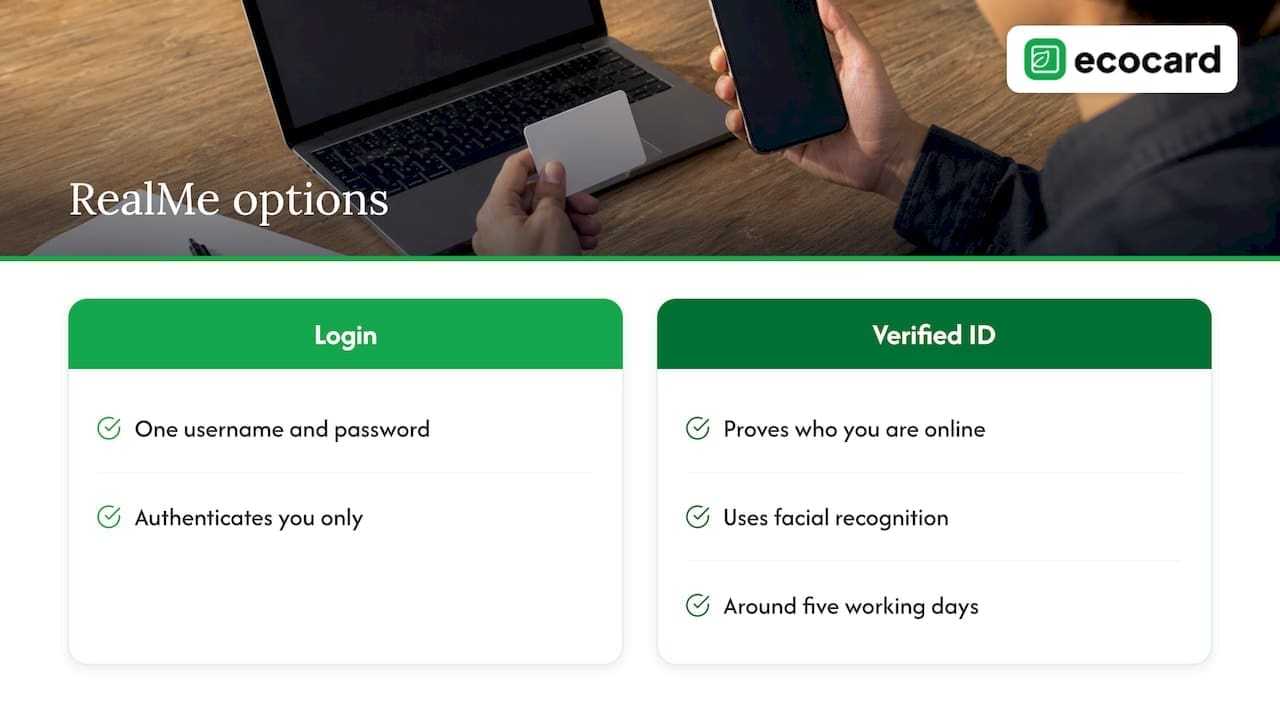
RealMe is the government-run service. A RealMe login gives you one username and password for government services. A RealMe verified identity goes further: it lets you prove who you are online, for example to open a bank account or enrol to vote. It is optional, you decide what personal data is shared by giving consent, and the process involves facial recognition. Approval typically takes around five working days, and more than a million New Zealanders have one.
The login alone only authenticates you. Only the verified identity gives the assurance that you are who you say you are. If you run a business that needs to prove your identity to a third party, check which of the two the other side actually requires.
The Trust Framework
The Digital Identity Services Trust Framework Act 2023 sets up a voluntary regime for accredited digital identity providers. Participation is optional, and the Act states that it does not override the Privacy Act 2020. Under the rules, accredited digital wallets must keep credentials encrypted on the user’s device. The Department of Internal Affairs publishes the Trust Framework Rules, with a consolidated version in force from 29 June 2026. If you build or buy identity technology, check the current rules rather than relying on summaries.
The common thread is minimal disclosure. Privacy specialists argue that systems should confirm a specific attribute, such as being over 16, without collecting extra personal information, because large stores of identity data become targets for fraudsters. That principle is just as useful for a consultant deciding what goes on a public profile.
What your professional digital identity is made of
Think of it as five layers. Most professionals manage the first two and neglect the rest.
- Search footprint. What appears when someone types your name. Insiders recommend auditing your own name regularly, because outdated profiles and tags can affect your reputation and employability.
- Profiles. LinkedIn, industry directories, your company page, professional registers.
- Owned channels. Your website, email signature, newsletters.
- Contact handover. How people get your details at a meeting, a conference or a site visit. This is where printed cards, QR codes and digital cards live.
- Security. The accounts behind all of the above, and the habits that stop someone impersonating you.
A good identity is intentional and authentic, not constantly visible. The goal is that when a client or recruiter looks you up, what they find supports your expertise.
Build it in seven steps
1. Create one master set of facts
Keep a single file with a short bio, a professional headshot, your key skills, your role, and the links you want public. Library guidance on professional identity recommends holding standardised information in one central place so you can update every profile together. This prevents information drift: the old job title on one site, the old phone number on another. Drift makes a professional look unreliable, even when the work is excellent.
2. Separate public from private
Most professionals keep private and public identities apart, and it matters most where people are likely to search for you, such as health and legal professions. Review privacy settings on personal accounts, and decide which handles are “work” and which are not. If you want to avoid your personal mobile number floating around, use a work number on the public side from the start.
3. Polish the profile that gets searched first
For most people that is LinkedIn. Use your master facts, write a headline that says what you do for whom, and keep the photo current. If you are in an executive or career-change moment, this guide to executive LinkedIn profile practice is a useful reference for how a senior profile should read.
4. Decide what you hand over in person
This is the step most identity guides skip. A conversation at a trade show or a client meeting ends with a hand-over of details, and that moment is part of your identity. Printed cards go out of date the day a role or number changes. A digital card, shared by QR code, link or NFC tap, always points to the current version. We cover the practicalities in our guide to contactless networking in NZ.
5. Share only what the other person needs
The Privacy Act 2020 applies to all agencies, which includes sole traders outside purely personal affairs. It asks that you collect personal information only for a lawful, necessary purpose and are open about why. The Privacy Commissioner frames privacy as the core of trust, not just compliance. In practice: if you collect leads at an event, ask for what you need to follow up, and say what you will do with it.
6. Lock down the accounts
Your identity is only as safe as the email account behind it. CERT NZ warns that most professionals underestimate business email compromise, where an attacker gets into a mailbox and uses it for scams. Its guidance is to use multi-factor authentication and to confirm high-value requests, such as changed bank details, through a second channel like a phone call. If your business takes enquiries by phone, the same logic applies to callers: this piece on caller identity verification for service businesses explains why verifying before you act matters.
7. Audit every quarter
Search your own name in a private window. Check each profile against the master file. Remove accounts you no longer use. Ten minutes four times a year is enough for most people.
How the numbers look for NZ businesses
Presence is now normal. The Stats NZ 2022 Business Operations Survey found that 59% of New Zealand businesses with internet access had a social media presence, mostly for brand development and marketing. Large businesses with 100 or more employees were more likely to (78%) than small businesses with 6 to 19 employees (56%). For a small firm or sole practitioner, that gap is a chance: consistent details and a tidy handover can make a small operation look as dependable as a large one.

Perspective: where the business card fits
We built EcoCard because the handover moment is where professional identity most often breaks. People spend hours on profiles, then give someone a card with last year’s title, or tell them to “look me up” and hope the right person appears.
Our view is simple. Your identity should live in one place you control, and everything else should point to it. A card that updates live means a role change, a new number or a rebrand is fixed once, not reprinted. For businesses, that matters even more: the admin can keep branding consistent across every employee card, add new starters on day one and remove leavers the day they go, so a former employee does not keep presenting your company’s name.
We also think privacy should be designed in. Recipients do not need to install an app to receive an EcoCard, and you choose what each card shows, which means you can keep a work number on the card and your personal details off it. Someone who consults in two fields can run separate cards for each rather than blending them into one muddled profile.
We do not pretend a digital card replaces a strong profile or an official ID. It is the bridge between them: the thing that turns a good first meeting into a correct contact record.
— Chris
Digital card, email signature or printed card?
You have three common handover tools. Each has a job.
| Tool | Strength | Weakness |
|---|---|---|
| Printed card | Tactile, no device needed | Static, out of date after any change, creates waste |
| Email signature | Reaches every recipient of your emails | Easy to let drift across a team |
| Digital business card | Live, shareable by QR, link or tap, can carry portfolio and documents | Needs a phone or screen to show it |
Most professionals end up with a mix. The point is that the digital card and signature draw on the same facts. We compare the two in email signatures vs digital cards, and if you are designing the card itself, digital business card design covers what makes a scan fast and readable.
For teams: identity is a management task
Once there are staff, individual habits no longer hold. Titles change, people leave, and someone prints 500 cards with the old logo. A central admin view solves the underlying problem: one place to set the brand, assign cards, and retire them. Our guide to employee digital business cards walks through setup, and the offboarding checklist covers what to do from day zero to final pay so a leaver’s card does not outlive their employment.
Sales teams also gain from the follow-up side. Cards can carry lead capture, and analytics on card use show which contacts engaged. See lead capture QR codes for teams for how to keep contacts from going stale.
Putting a live card in place with EcoCard
If you want a card that matches the identity you have just tidied up, we offer plans at each size, all billed monthly in NZD:
- Individual: NZ$9.99 per month for one professional.
- Additional EcoCards: NZ$4.99 per month, for extra cards or roles.
- Starter: NZ$19.99 per month.
- Business: NZ$49.99 per month, with central management for branding.
- Teams: NZ$99.99 per month.
- Enterprise: contact us, as there is no published price.
Features include QR code and direct-link sharing, NFC tap, branded profiles, EcoWallet for saving contacts, portfolio and document sharing, and card usage analytics. See the full list on our features page, compare plans on the pricing page, or start with the Individual EcoCard. Teams can read how GST affects small-team pricing before choosing.
If you want to know the environmental side, our environmental impact page explains why a reusable, digital-first card reduces printed waste.
A short checklist to finish
- Master file of bio, headshot, skills and links exists and is dated.
- Public and private accounts are separated.
- MFA is on for email, LinkedIn and any card or website admin account.
- Your name search shows what you would want a client to see.
- You have one current way to hand over details, and it updates from the master file.
- You collect only the contact data you need, and tell people why.
FAQ
What is a professional digital identity?
It is the impression formed by your online profiles, content, contact details and behaviour, as seen by clients, peers and employers. Unlike an official ID, you shape it yourself. The aim is consistency and credibility rather than constant visibility.
Is a digital identity mandatory in New Zealand?
No. RealMe verified identity is optional, and participation in the Trust Framework under the Digital Identity Services Trust Framework Act 2023 is voluntary. Some services may ask for one to prove who you are, so check what the specific organisation requires.
How do I keep my details consistent across platforms?
Keep one master set of facts: short bio, headshot, key skills and links. Update it first, then copy to each profile. A live digital card helps because the handover details change in one place and every shared link shows the latest version.
Does the Privacy Act apply to my own professional profile?
The Privacy Act 2020 covers agencies, including sole traders when they are not dealing with purely personal affairs. It matters most when you collect other people’s information, for instance at events. Collect only what you need and be clear about why. For specific situations, the Office of the Privacy Commissioner is the body to ask.
Sources
- Digital identity, Workplace digital literacies (Deakin University)
- Professional Identity, Tell Your Story (Virginia Tech)
- Separating Personal & Professional (A.T. Still University)
- RealMe login (Digital Identity NZ government)
- RealMe verified (Digital Identity NZ government)
- Digital Identity Services Trust Framework Act 2023
- Trust Framework Rules (Department of Internal Affairs)
- Stats NZ Business Operations Survey 2022
- A quick tour of the privacy principles (Privacy Commissioner)
- Submission on online harm to young people (Privacy Commissioner)
- Multi-factor authentication and verification (CERT NZ)
Recommended
- Secure, live digital business card: QR, link & vCard for professionals
- Employee Digital Business Cards: A Guide for NZ Teams
- 10 Mobile First Digital Business Card Examples for Professionals
- NFC Business Card Setup for Teams: One Link, No Retagging
This article was produced with AI assistance and reviewed for accuracy. It is provided for general information only and is not professional advice.

