


An NFC business card is a physical card with a passive chip that opens a live profile when tapped against a phone, no app required. It is the fastest way to hand over contact details when the recipient’s phone supports NFC, though it still needs a QR code or link as a backup for phones that do not read tags automatically.
TL;DR:
- iPhone XS, XR, and later models read tags automatically, while some Android phones require NFC to be enabled in settings.
- The card can register without internet because the phone and chip communicate locally, but the linked profile needs a network connection to load.
- Pair NFC with a printed QR code that opens the same profile, so recipients can scan when NFC is unavailable or fails.
- Test a sample on an iPhone XS or newer and two Android models, including in the wallet or pocket where you will carry it.
- NFC suits busy, face to face networking, while QR codes reach camera phone owners more broadly and digital links work best for remote sharing.
Table of Contents
- What is an NFC business card?
- How does tap-to-share actually work?
- Which phones read NFC tags without an app?
- NFC vs QR codes vs digital cards: which should you use?
- How to make an NFC business card actually work
- When does an NFC business card actually pay off?
- A live profile is what makes an NFC card worth tapping
- FAQ
- Sources
What is an NFC business card?
An NFC business card looks like an ordinary card but has a thin chip and antenna laminated inside it. That chip is passive, meaning it has no battery and does nothing until a phone’s NFC reader powers it through a brief electromagnetic pulse.
The chip itself rarely stores a full profile. Instead it holds a small NDEF record, usually a single URL, that points to a live page hosted elsewhere. That distinction matters because it means the card owner can update their job title, phone number or company without reprinting anything: the card stays the same, the destination page changes.
- The physical chip and antenna sit inside the card material, often under the printed design.
- The payload is typically one NDEF URL rather than a full contact file.
- The real content, photos, links and contact fields, lives on the profile page the URL opens, as explained in our guide to creating a digital business card.
How does tap-to-share actually work?
The sequence behind a single tap involves a short back-and-forth between two devices, even though it feels instant.
- The phone generates a small electromagnetic field as it comes close to the card.
- That field powers the passive chip inside the card, since it has no battery of its own.
- The chip transmits its NDEF record, usually a URL, back to the phone.
- The phone’s operating system reads the record and opens the link, either in the browser or through a Universal Link to an app.
- The profile loads once the phone has network access, which may be instant or delayed by a second or two.
The tap itself needs no internet connection. The exchange between chip and phone happens locally over a short-range radio field, so the card registers correctly even in a dead zone; only the final step of loading the profile page depends on signal, as detailed in this practical explainer on tap-to-share.
This behaviour follows the NFC Forum specifications, which define the NDEF data format and the tag types that make cross-device reading possible. Most NFC business cards use what the specifications call a Type 4 tag, built on ISO-DEP communication, which is why a card made by one manufacturer generally works with phones from different makers without extra configuration.
Which phones read NFC tags without an app?
Device support is the part most people get wrong, and it is worth checking before relying on an NFC card at an event.
On iPhone, background NFC tag reading works automatically on iPhone XS and XR (2018 models) and on later iPhone models. There is no app to open: holding the card near the top of the phone triggers a notification that opens the link directly, a capability Apple introduced with iOS 12, as confirmed in coverage of the 2018 iPhone launch.
On Android, most phones made after 2018 include an NFC chip, but the experience is less uniform. Some manufacturers ship phones with NFC switched off by default, and the way a tag is handled can vary between brands, something documented in Android’s Ndef API reference, which recommends sticking to NFC Forum Type 1 through 4 tags for the widest compatibility.
- iPhone XS, XR (2018) and later models can read NFC tags in the background without requiring an app.
- Most modern Android phones support NFC, but some require NFC to be manually enabled in settings.
- A thick case, especially one with a metal plate or battery pack, can block the read entirely.
Pro Tip: Ask the recipient to remove a thick phone case before tapping if the first attempt does not register.
NFC vs QR codes vs digital cards: which should you use?
Each sharing method solves a slightly different problem, and the strongest approach usually combines more than one.
NFC wins on speed and feel: a single tap in a crowded room beats fumbling to open a camera app, and it reads as more polished in a sales or conference setting. Its catch is that it only works when the recipient’s phone supports and has enabled NFC.

QR codes win on universality. Any phone with a camera can scan one, no chip or setting required, which is why a printed QR code remains the most reliable fallback on the back of a card or on a lanyard, as covered in our notes on making QR codes print ready. Readers who want to test a code before printing can use a free QR code reader to confirm it scans cleanly from a photo.
A pure digital card, shared as a link or over email, wins on reach when there is no physical handoff at all: it updates live and needs no hardware on either side.
- NFC: fastest gesture, best for face-to-face moments, depends on phone support.
- QR code: works on any camera phone, free to print, no chip required.
- Digital link: easiest to send remotely, always current, no tap needed.
The practical answer for most professionals is to put NFC and a printed QR code on the same card, both pointing at the same live profile, so a failed tap simply becomes a scan instead of a dead end.
How to make an NFC business card actually work
A card that works in a demo but fails at a real event usually skipped one of these steps.
- Design for both methods: include a small printed QR code alongside the chip, with a short line of text such as “tap or scan,” so a failed tap has an immediate fallback.
- Test on multiple phones: check an iPhone XS or newer and at least two Android models before ordering a batch, since Universal Link behaviour can differ slightly by browser.
- Mind the material: avoid embedding the chip under metallic foil or finishes, which can block the antenna, and warn recipients with thick cases that a second tap may be needed.
- Keep the destination live: the chip only stores a link, so the profile behind it needs to stay current, and lost or reissued cards should be easy to unlink from an old profile.
Pro Tip: Order one sample card and test it in the exact wallet or pocket conditions you will carry it in before committing to a print run.
Good destination pages make the tap worth it. Our design guidance for cards that load in three seconds covers layout choices that keep the first impression fast and clean.
When does an NFC business card actually pay off?
NFC earns its keep at busy conferences and in face-to-face sales, where a tap reads as more confident than asking someone to pull out their camera. It also suits small teams that want every card to look and behave the same way, since a chip paired with a managed profile keeps branding consistent without reprinting stock.
It pays off less at mass public events or with a global audience, where phone habits vary widely and a printed QR code will always win on reach. Anyone working to a strict budget is better off leading with QR and treating NFC as an upgrade rather than a requirement.
The realistic setup for most professionals is NFC as the high-touch option, backed by a QR code and a shareable link for everyone else.
— Chris
A live profile is what makes an NFC card worth tapping
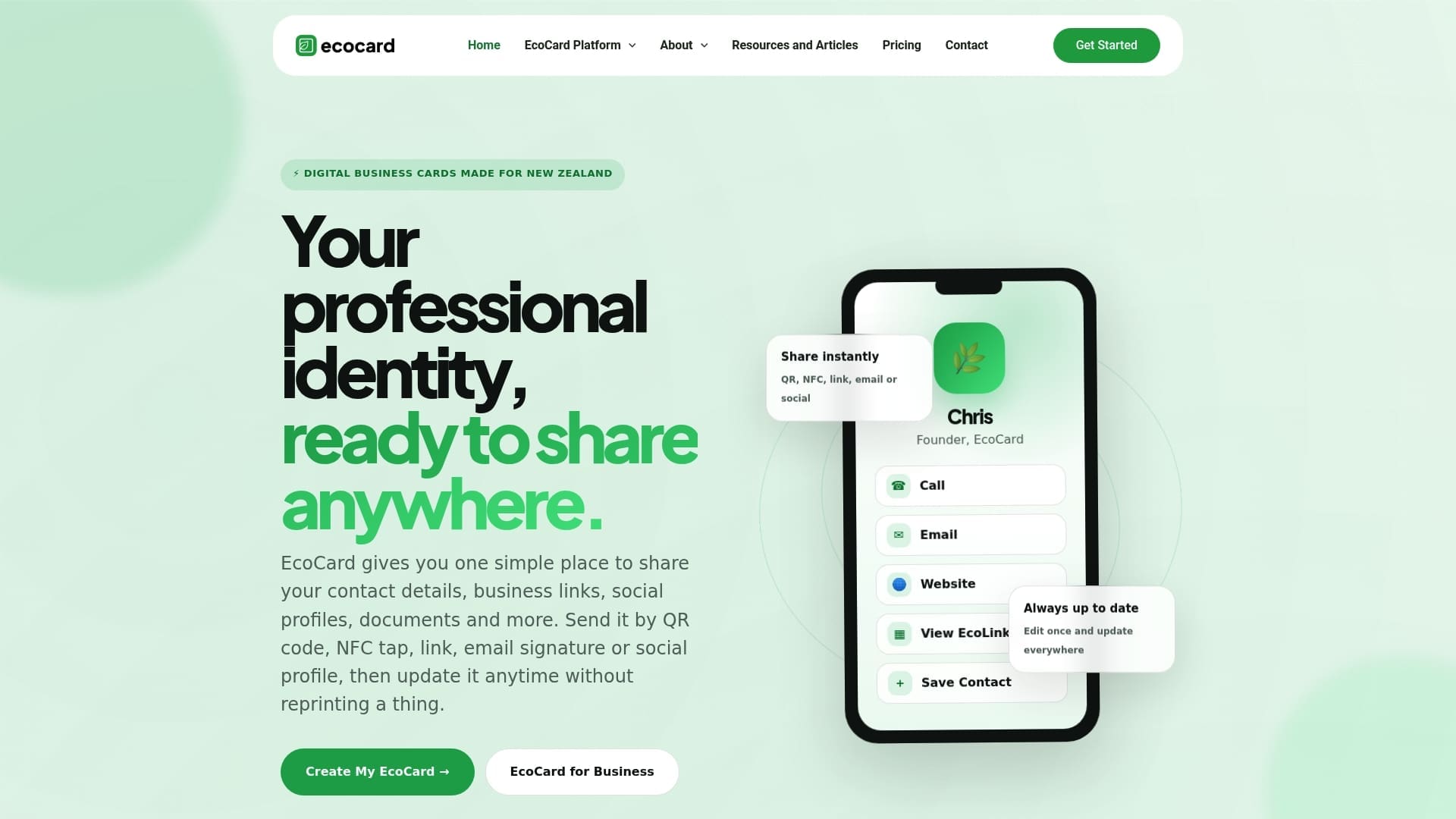
A chip is only as useful as the page it opens, which is why we built EcoCard around the live profile rather than the hardware. Update your title, phone number or links once and every card pointing to that profile reflects the change immediately, with no reprinting and no app required on the recipient’s side.
- Live-updating profiles that stay current after every tap.
- Multiple cards per person, useful for separate roles or ventures.
- Central brand control for teams, so every employee’s card matches.
- QR and link sharing built in alongside NFC, for recipients on any phone.
Businesses managing several employees can see how central control and onboarding work on our features page, and anyone ready to set up a card can start from our pricing page, with individual plans from $9.99 NZD per month.
FAQ
Are NFC business cards a good idea?
They are a good idea for anyone who networks face to face often, since a tap is faster than scanning a code and feels more polished in a sales or conference setting. They work best when paired with a printed QR code, because not every phone reads NFC tags automatically.
How does an NFC business card work?
A phone generates a short-range electromagnetic field that powers the passive chip inside the card, and the chip sends back a small NDEF record, usually a URL, which the phone then opens. The tap itself needs no internet connection, though the profile page only loads once the phone has network access, as explained in this tap-to-share breakdown.
What are the disadvantages of NFC cards?
The main limitation is device inconsistency: older iPhones before the XS and XR, along with some Android phones with NFC switched off, will not read a tag automatically. Thick phone cases can also block the read, which is why most cards include a printed QR code as a backup.
Which NFC business card is the best?
The right choice depends less on the chip itself, since most use the same NFC Forum tag types, and more on the profile it links to. A card backed by a live, centrally managed profile, such as the ones created through EcoCard, stays accurate long after printing, which matters more than the card stock or chip brand.
Sources
- Apple adds background NFC tag reading to 2018 iPhones (MacRumors)
- NFC Forum specifications
- Ndef | Android developers
- What Is an NFC Business Card? How Tap-to-Share Works | Knockin
Recommended
- Make QR Code Business Cards Print Ready for Professionals: 2 cm Min
- Small Businesses: Keep QR Codes Working, Test at 1 Week and 6 Months
- Track QR code scans to prove ROI: NZ marketers’ playbook
- Secure, live digital business card: QR, link & vCard for professionals
This article was produced with AI assistance and reviewed for accuracy. It is provided for general information only and is not professional advice.

