

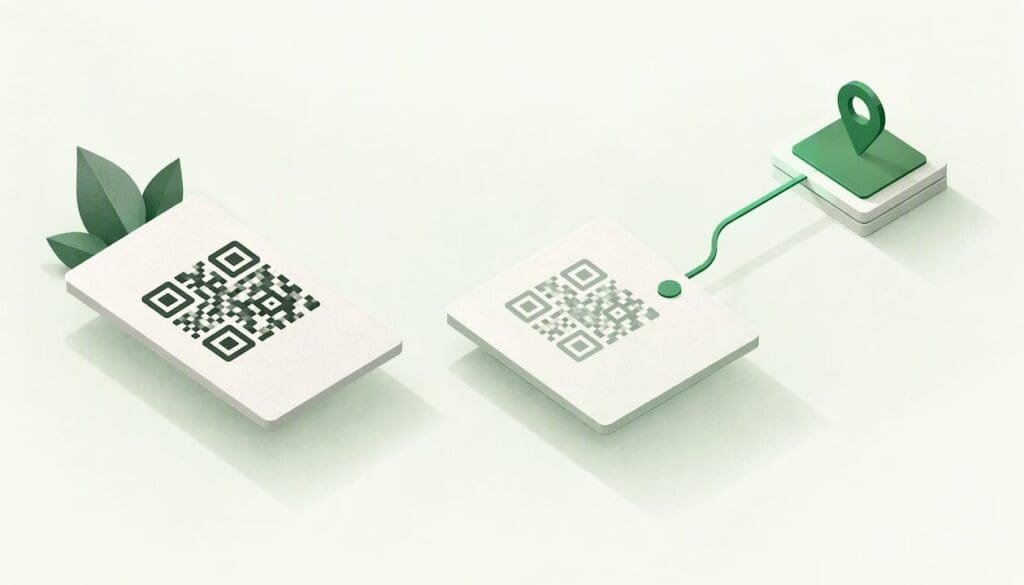
A static vCard QR code stores your contact details inside the pattern itself, so it can never change. A dynamic one points to an online page, so you can edit your details and the same code keeps working. If your role, phone number or links might change, and for most people they will, dynamic is the safer choice. If you need a single code that works offline and will never be edited, static is fine.
This guide explains how each one works, where each one fails, how QR compares with NFC, and how to decide for yourself or for a team.
TL;DR
- Static vCard: your details are encoded in the code. Nothing to host, nothing to update. Change a number and you must print a new code.
- Dynamic vCard: the code points to an online profile. Update the profile and every code already printed or shared shows the new details.
- QR vs NFC: QR works with any phone camera. NFC needs a compatible phone and a tap from a few centimetres away. Most cards do best with both, pointing at the same link.
- Privacy: if a provider holds your details, the New Zealand Privacy Act 2020 applies. Check where the data sits and who can see it.
Table of Contents
- What a vCard actually is
- How a static vCard QR code works
- How a dynamic vCard QR code works
- Static vs dynamic vCard at a glance
- How to tell whether a QR code is static or dynamic
- Privacy: the part most comparisons skip
- QR or NFC: how the two compare
- Which one should you choose?
- Our perspective
- Try a dynamic card without the reprint
- Getting the most out of a dynamic card
- FAQ
- Sources
What a vCard actually is
A vCard is a standard file format for contact details: name, phone, email, job title, address and so on. It is defined in RFC 6350, and it is the reason your phone can offer “Add to contacts” after a scan. The file is plain text, which is why it can be squeezed into a QR code.
A QR code, on the other hand, is only a container. As Triton Store explains, QR codes are two-dimensional barcodes in a black-and-white matrix, and the difference between types lies in whether the data is encoded in the code or served online.
So “static vs dynamic vCard” is really two separate questions:
- Where do my details live? Inside the code, or on a page the code points to.
- What does the phone do when it scans? Save a contact file directly, or open a profile where the person can then save you.
How a static vCard QR code works
A static code embeds the actual data. The same source says a static QR code can hold a URL, contact information, text or a calendar event, and that scanning reveals the stored data directly, with no online redirect server involved (Triton Store).
For a vCard, that means your name, number and email are written into the black-and-white pattern. The phone reads them and offers to save a contact. There is no internet connection involved and no company in the middle.
Where static works well
- You are printing a one-off item such as a name badge, a conference lanyard or a sticker on a stand.
- Your details are very unlikely to change in the next few years.
- You want something that works with no subscription and no dependency on anyone’s servers.
Where static causes trouble
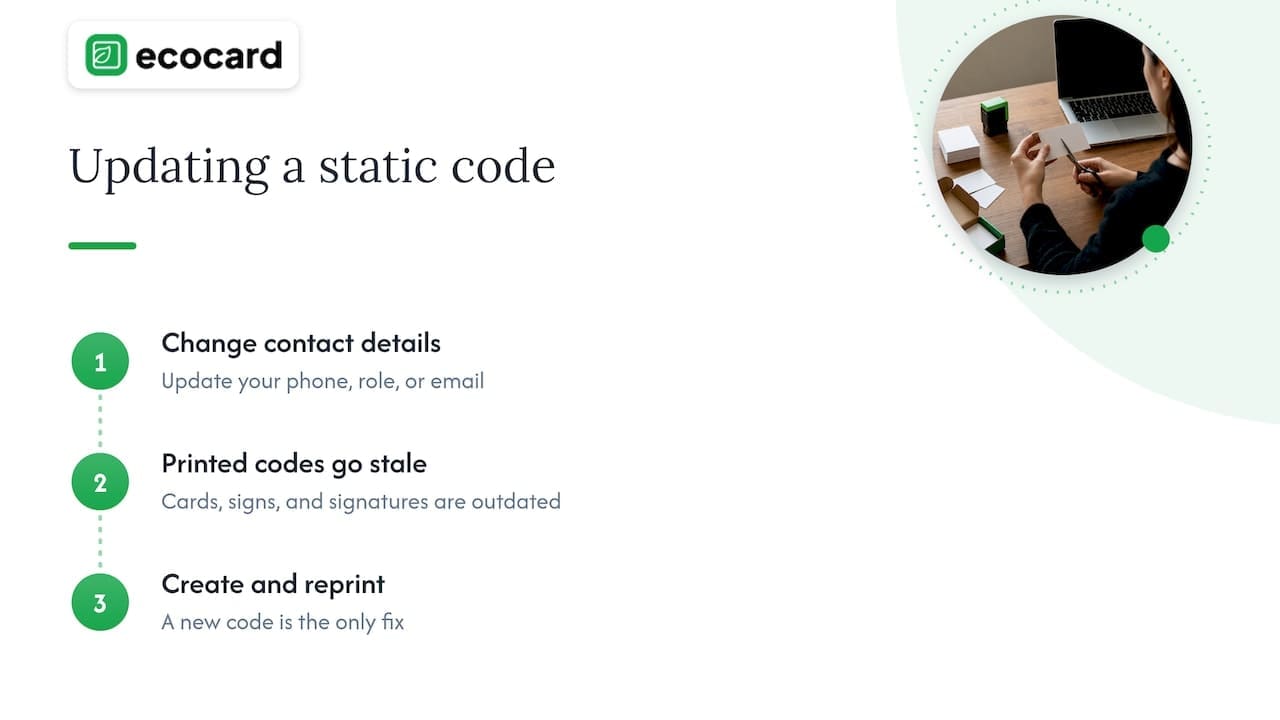
The fixed nature is both the strength and the weakness. FindUs NZ notes that a static code’s information cannot be changed once created. If you change your mobile number, move to a new role or update your email domain, every printed card, vehicle sign and email signature carrying that code is out of date. The only fix is a new code and a reprint.
There is also a practical limit: the more data you put in, the denser the pattern becomes. A full vCard with address, several numbers and social links produces a crowded code that is harder for cameras to read at small sizes. If you print on cards, our guide to QR code business cards that are print ready covers minimum sizes and testing.
How a dynamic vCard QR code works
A dynamic code does not hold your details. It holds a short web address. According to FindUs NZ, the code redirects through a short URL whose destination can be changed without creating a new code. In a vCard setting, that destination is usually a profile page with a “save contact” button.
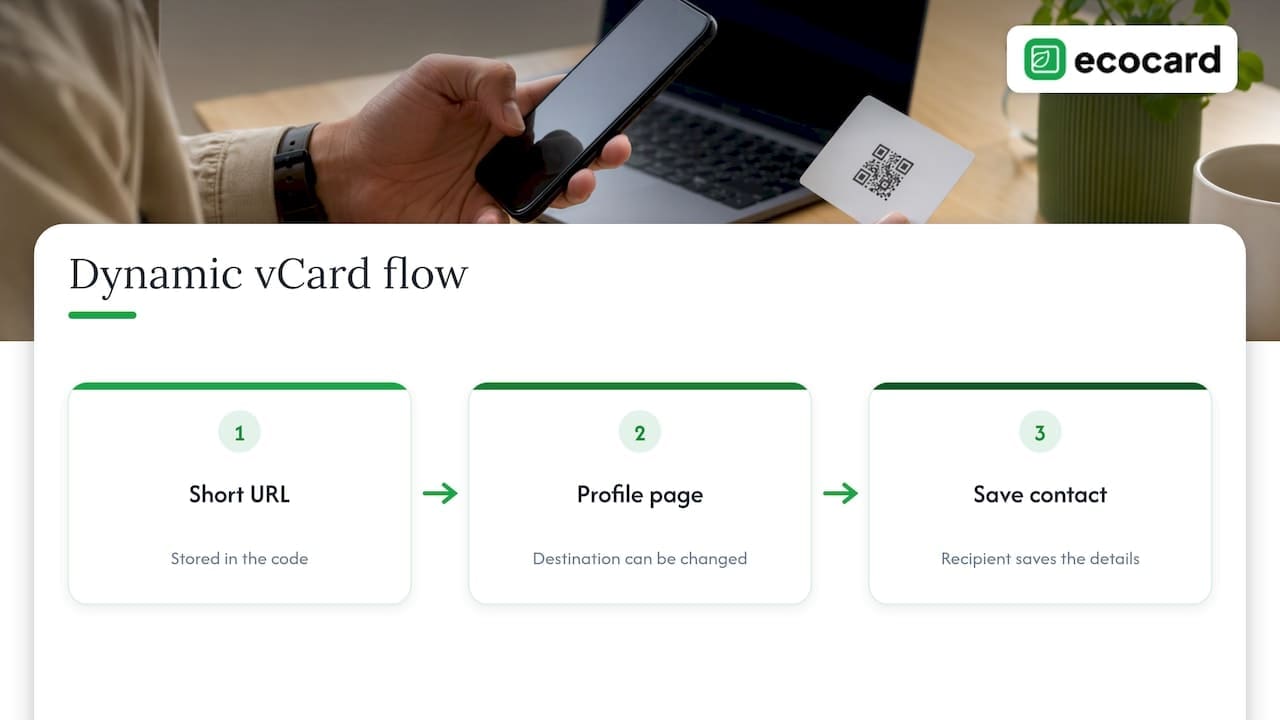
The printed pattern stays identical. What changes is what sits behind the link.
Where dynamic works well
- Anything printed that is hard to replace: business cards, brochures, signage, vehicle livery, email signatures.
- Teams: staff join, change role and leave. One link per person, managed centrally, avoids reprinting.
- Portfolios and documents: consultants can point the same code at a case study, a price list or a booking page and swap it as work changes.
- Follow-up: because a page is served online, the provider can show how often a card is opened. Details depend on the provider, so check what is recorded and who can see it.
What dynamic costs you
Be honest about the trade-offs, because they decide whether dynamic works for you:
- It depends on a service staying online. If the provider shuts down or you stop paying, the link may stop resolving. Pick a provider you expect to be around, and check what happens to your link if you cancel.
- It needs a connection at scan time. In a basement conference venue with poor reception, the profile may load slowly. A good profile is light, and our piece on digital business card design that scans in 3 seconds shows how to keep it quick.
- There is usually a subscription. Free generators often produce static codes, or dynamic codes that quietly lapse. See how to keep QR codes working over time.
- Your data sits with someone else. More on that below.
Static vs dynamic vCard at a glance
| Question | Static vCard QR | Dynamic vCard QR |
|---|---|---|
| Where are the details stored? | Inside the code | On an online profile the code links to |
| Can you edit after printing? | No, you need a new code | Yes, the same code shows new details |
| Works with no internet? | Yes, the phone reads the data directly | The phone needs a connection to load the profile |
| Depends on a provider? | No | Yes |
| Ongoing cost | None | Usually a subscription |
| Tracking opens | Not possible | Possible, depending on the provider |
| Best for | One-off, never-changing material | Cards, teams, signage, anything long-lived |
How to tell whether a QR code is static or dynamic
You can usually check in under a minute, which is handy if someone hands you a code or you inherit a batch of printed cards.
- Scan it and look at the address. If the preview shows your contact details or raw text straight away, it is static. If it shows a short web address on someone else’s domain, it is dynamic.
- Look at the pattern. Dynamic codes carry only a short link, so they tend to look sparse and clean. Static codes with a lot of data look dense and busy.
- Ask the generator. A tool that offers editing, a dashboard or scan stats is producing dynamic codes.
If your cards do not scan well, density is often the culprit. Our checklist on business card QR codes that won’t scan walks through the print specs.
Privacy: the part most comparisons skip
A static code puts your details in the open: anyone who scans can read them, and anyone who photographs a printed code can too. That is fine for a business phone number, less so for a home address.
A dynamic profile moves your details to a server. In New Zealand, the Privacy Act 2020 governs how agencies collect, store and protect personal information, and that includes information handled through digital card providers. For a business rolling cards out to staff, that means asking practical questions:
- Which details appear on each card, and who chose them?
- Where is the data hosted, and who at the provider can access it?
- What happens to a person’s card when they leave?
- Can a person correct or remove their details?
Our guide to digital business card privacy for NZ professionals goes through what to check before you commit. For teams, the employee digital business card guide covers staff data, and the offboarding checklist shows how to retire a card on the last day.
QR or NFC: how the two compare
QR and NFC are two ways to deliver the same thing: a link or a contact. Neither one is “static” or “dynamic” by nature. An NFC tag can hold a fixed link or a link to a live profile, just as a QR code can.
The real differences are about hardware and distance:
| QR code | NFC tap | |
|---|---|---|
| How it is read | Phone camera or a 2D scanner | Radio communication with an NFC-capable phone |
| Distance | Can be scanned from further away, if large enough | Typically around 4 cm or less |
| Hardware | Any phone with a camera | An NFC chip in the phone and a tag in the card |
| Where it can go | Anywhere you can print: cards, screens, posters, slides | On a physical object holding a tag |
| Can be shown on screen | Yes, on a phone or a video call | No |
The distance and hardware points come from Triton Store’s comparison, which says QR codes can be read by camera or 2D scanner from a distance, while NFC works at typically 4 cm or less and needs NFC-capable hardware. A general technical overview from Mikroe gives the same range of about 4 cm.
That short range is a feature in a crowded room: a deliberate tap is hard to trigger by accident. But it also means NFC only works when two people are standing next to each other and the phone supports it.
When QR wins
- On a slide, screen or poster at a conference, where the audience is several metres away.
- On a printed card where you do not want to pay for a tag in every card.
- In a video call, where you can share your screen and have people scan it.
- When the other person has an older phone or has NFC switched off.
When NFC wins
- At a stand or counter, where a single tap is faster than lining up a camera.
- On a premium card or a keyring where the tap feels part of the brand.
- For repeat use by staff, such as a tag on a reception desk.
Why the best answer is both
The smartest setup is not a choice between QR and NFC. It is one profile link, reachable by either. Tap works when it works; the QR code on the same card is the backup when a tap fails. We cover this in why QR still matters when NFC taps fail, and in the NFC setup guide for teams, which shows how to write one link to every tag so you never need to retag.
This is also where dynamic matters most. If an NFC tag is written once with a fixed destination, changing it later means rewriting the tag. If the tag points to a link you control, you can change everything behind it and leave the tag alone.
Which one should you choose?
Work through these in order.
- Will anything on the card change in the next two years? A job title, a mobile number, a new service, a team member leaving. If yes, go dynamic.
- How many cards are you producing? A handful for yourself, static might do. Dozens or hundreds for staff, dynamic and centrally managed.
- Is the material hard to reprint? Signage, vehicle graphics and trade-show banners should never carry a static code with personal details.
- Do you need to follow up with people you met? A dynamic profile can show who opened your card and when. If you collect leads, see how teams use lead capture QR codes to avoid stale contacts.
- Do you need it to work with no signal and no provider? That is the one strong case for static.
A few worked examples
A freelance consultant in Wellington. She changes her portfolio every few months and sometimes pitches to different sectors. A dynamic profile lets her swap a case study without touching her cards. A static code with a full vCard would be out of date within a year.
A trades business in Hamilton with six staff. Each van carries one code. If a van is reassigned or an apprentice leaves, a static code pointing to that person’s mobile sends customers to the wrong phone. A dynamic code pointing to the business profile avoids that.
A one-day expo badge. The badge is binned that night. A static vCard code is perfectly sensible: no account, no cost, no dependency.
Our perspective
We built EcoCard around one belief: a business card should be the one thing in your professional life that is always right. Printed cards go out of date the moment something changes, and most end up in a drawer or a bin.
That is why we lean toward dynamic. Your card is a live profile with your contact details, social profiles, business links and portfolio, shared by QR code, direct link or NFC tap. When your role changes, you edit it once and every card you have ever handed out shows the update. The person you meet does not need to install an app.
For businesses, the real value is in central management. One admin keeps branding consistent across every employee card, adds new starters on day one and takes a leaver’s card offline when they go. Nobody has to chase staff for updated details or reprint a thing.
We would rather you use a static code for a one-day badge than a dynamic one you will forget about. But for anything you want to last, point the code at something you can edit.
Chris
Try a dynamic card without the reprint
EcoCard gives you a live digital card you can share by QR code, link or NFC, with contact details, links and portfolio in one place. Individual plans are NZ$9.99 a month, and extra cards for different roles are NZ$4.99 a month each. Teams can start on the Starter plan at NZ$19.99 a month, with Business at NZ$49.99 and Teams at NZ$99.99 a month. Enterprise pricing is available from our team.
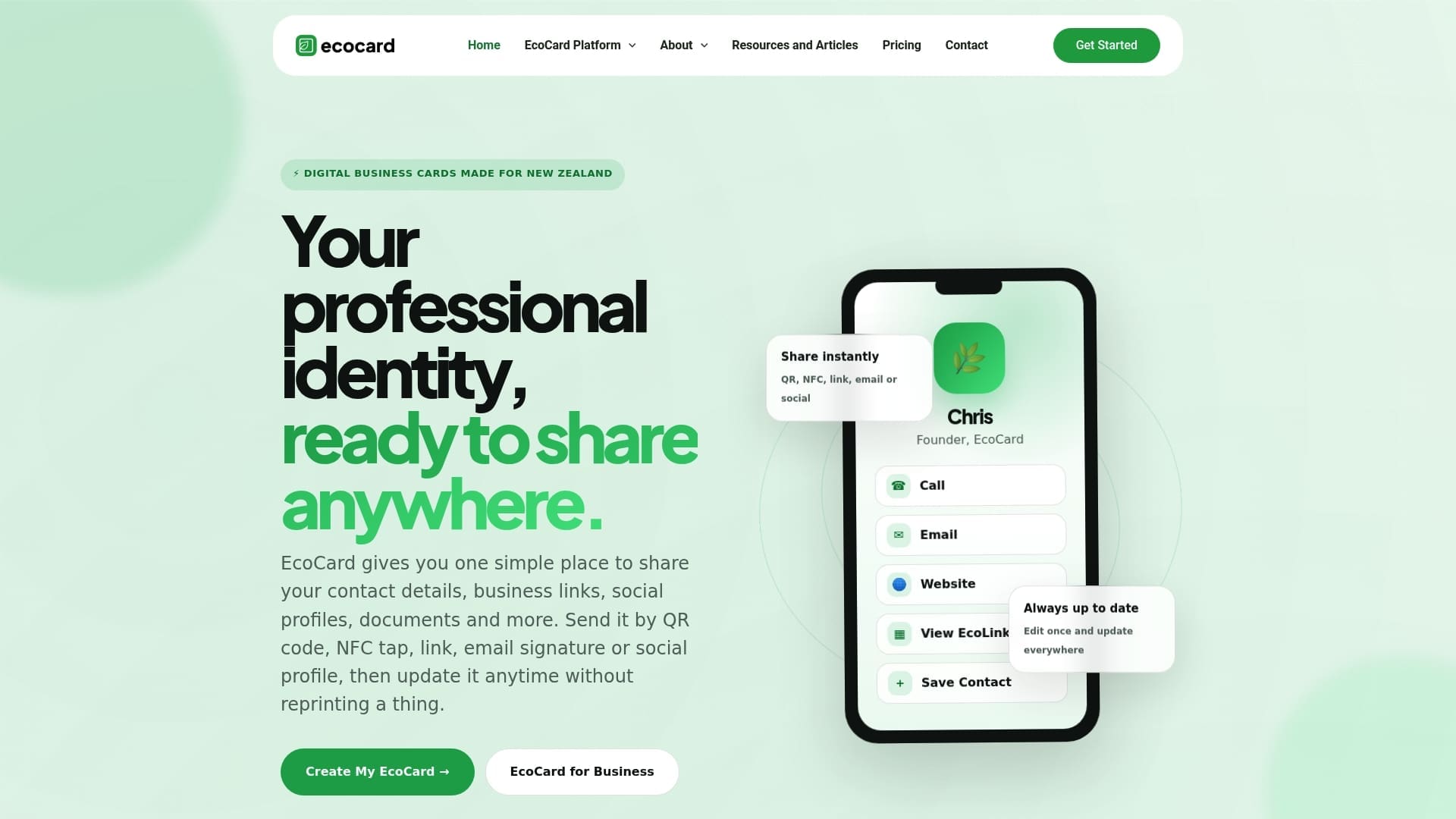
See the plans and pricing, or look at what a live card looks like. For a walk-through of setting one up, read how to create a digital business card.
Getting the most out of a dynamic card
Choosing dynamic is only half the job. A few habits keep it working:
- Test the code on two phones before printing. One iPhone and one Android, in normal light. Re-test after a week and again at six months.
- Keep the profile short. Put the contact button and the two or three links people need at the top. The design guide shows how.
- Use one link everywhere. The same link on the card, the NFC tag, the email signature and the slide deck means one thing to maintain.
- Separate roles. If you wear two hats, such as an employee and a company director, keep separate cards so each audience sees the right details.
- Follow up quickly. The point of a fast share is a fast follow-up. See our notes on same-day networking follow-ups.
- Review access regularly. Check who can edit cards and when staff cards were last reviewed.
If you are choosing for a team, One Tap, Live Updates explains the rollout, and the benefits for teams covers analytics and privacy in more detail.
FAQ
Is a static vCard QR code free to make?
Usually, yes. Because the details are encoded in the code and there is no hosting involved, many tools produce static codes at no cost. The catch is that you cannot edit them, so any change means a new code and a reprint.
Do dynamic QR codes stop working?
They can if the service behind them lapses, for example when a subscription ends. The pattern itself does not expire; the link it holds stops resolving. Check what happens to your link if you cancel, and test your codes after a week and again every six months.
Is NFC better than a QR code for business cards?
Neither is better in every case. NFC is quicker when two people are close and the phone supports it, while a QR code works with any camera and can be shown on a screen or slide. Most people are best served by one profile link reachable both ways.
Can I switch from static to dynamic later?
Yes, but you will need to replace the code on anything already printed, since a static code cannot be changed. If you expect to switch, start with a dynamic code now so you only print once.
Is a dynamic vCard safe for personal details?
It can be, if the provider handles data properly and you share only what you would put on a card anyway. In New Zealand the Privacy Act 2020 applies to how personal information is handled, so ask where the data is held and who can access it.
Sources
- RFC 6350: vCard Format Specification
- Dynamic VS Static QR Code – What’s The Difference? (Triton Store)
- QR Code vs NFC: The Ultimate Debate (Triton Store)
- Dynamic QR Codes (FindUs NZ)
- Privacy Act 2020 (New Zealand Legislation)
- What Is NFC Technology? (Mikroe)
Recommended
- Make QR Code Business Cards Print Ready for Professionals: 2 cm Min
- QR Code Placement on a Business Card: Where It Works
- Secure, live digital business card: QR, link & vCard for professionals
- 3 Second Scan Digital Business Card Design That Updates Live
This article was produced with AI assistance and reviewed for accuracy. It is provided for general information only and is not professional advice.

