


No, a QR symbol does not have a built-in expiry: what commonly stops working is the link or service it points to, not the code itself. The symbol stays scannable for as long as it is printed clearly, but destinations go offline, shorteners shut down and hosting lapses. The sections below cover how to spot that failure layer early and prevent it.
TL;DR:
- Most QR code failures stem from destination links becoming unavailable due to page deletions, hosting issues, or provider shutdowns, not from the code itself degrading.
- Static QR codes encode fixed data and remain scannable indefinitely if printed correctly, while dynamic codes depend on a host-controlled redirect that may fail if the service lapses.
- Controlling the redirect through your own domain or ensuring export rights before choosing a vendor significantly reduces the risk of dead links over time.
- Regular testing of printed QR codes with multiple devices and monitoring link uptime helps detect failures before customers do.
- Using live-updating digital profiles or business cards can eliminate the risk of outdated contact information, avoiding the need for reprints altogether.
Table of Contents
- Key takeaways: the practical points to remember
- How QR codes work: symbol layer, encoding and error correction
- Why QR codes stop working: common failure modes
- How to make QR codes last: concrete best practices
- Dynamic QR codes: subscriptions, vendor lifecycle and what to watch for
- Testing, auditing and troubleshooting a QR code campaign
- Perspective: a digital card platform’s view on avoiding printed-code rot
- Editorial take on avoiding QR code rot
- Another option: live digital business cards to avoid reprints
- Sources
- FAQ
Key takeaways: the practical points to remember
A static QR code encodes its data directly, so it has nothing to break except the print itself. A dynamic QR code encodes a short redirect link that you can edit later, which is convenient but shifts the risk to whoever hosts that redirect. Most QR “expiry” complaints actually trace back to one of three things: a deleted or moved destination page, a shortening service that closes down, or a redirect account that lapses from non-payment.
- Choose static codes for content that never changes, such as a Wi-Fi password or a fixed address.
- Choose dynamic codes when you need to edit the destination or track scans, but host the redirect yourself where possible.
- Before printing anything in bulk, confirm the destination is stable, test the code on several phones and check who controls the redirect.
Get these three decisions right before the code goes to print and most long-term failures never happen.
How QR codes work: symbol layer, encoding and error correction
A QR code operates on two separate layers, and understanding the split explains why a code can look perfectly fine and still fail a reader. The first is the symbol layer: the black-and-white pattern itself, governed by the ISO/IEC 18004 symbology specification, which sets out how data is encoded, how much error correction is built in, and what counts as a production-quality symbol. As long as that pattern is printed within spec, it remains valid indefinitely. There is no clock inside the pattern and no server checking it for a use-by date.
The second layer is the destination: the website, document or contact card the code points to. This is where almost all real-world failures happen, because a web page, a hosting account or a redirect service can be changed or removed long after the printed symbol is still sitting on a poster or a box.
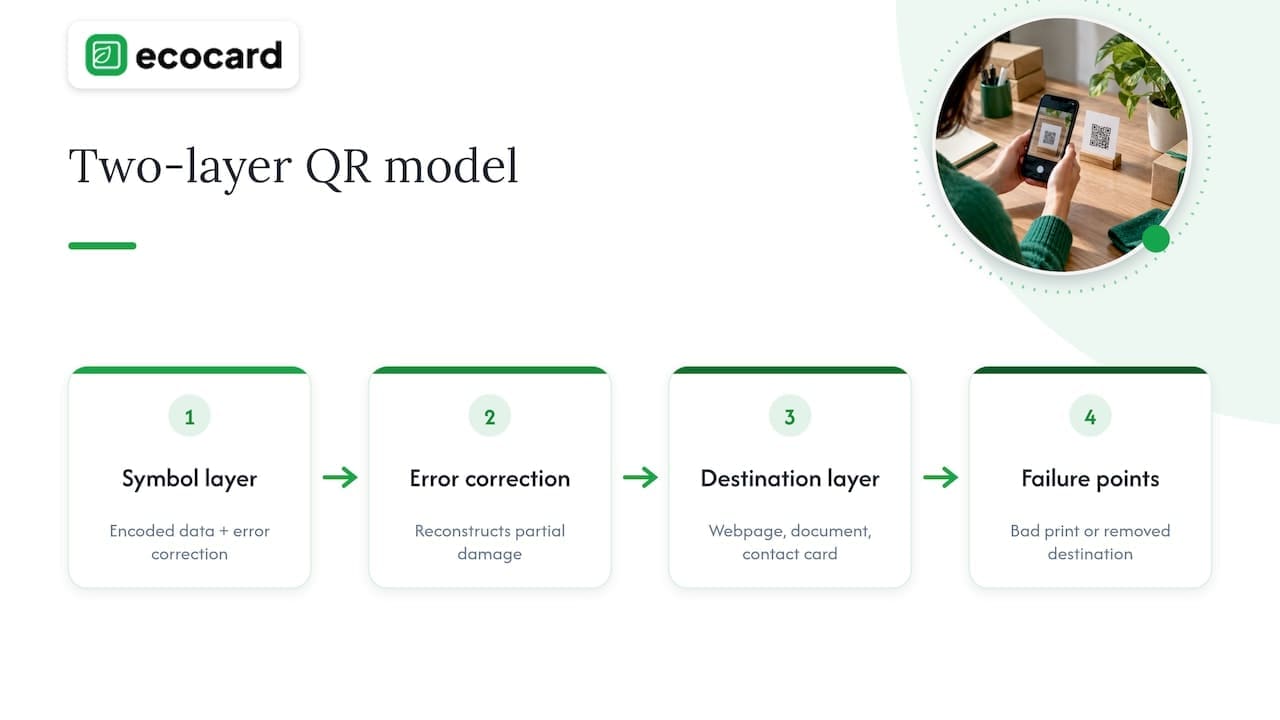
DENSO, the company that invented the QR code, documents the error correction built into the format and the design choices that let a symbol keep working despite dirt, scratches or partial obstruction. Error correction allows a scanner to reconstruct missing or damaged sections of the pattern up to a point, which is why QR codes tolerate the knocks of everyday handling better than a barcode. It is not unlimited protection though: enough physical damage, poor contrast or an undersized print can still defeat a reader even on a technically valid symbol, a limit worth keeping in mind before assuming error correction will cover for sloppy production.
So a QR code failing to scan is rarely about the symbol expiring. It is almost always about either the printed symbol being badly produced, or the thing it points to no longer being there.
Why QR codes stop working: common failure modes
Most “my QR code stopped working” reports come down to a handful of repeatable causes, and almost none of them involve the symbol itself degrading on its own.
- Broken or deleted destinations: a web page gets moved, renamed or taken down, so the code resolves to a 404 instead of the intended content.
- Shortener or redirect service shutdowns: a provider changes its policy or closes entirely, breaking every link that depended on it. Google’s own announcement about the goo.gl shortener is the clearest recent example, with a shutdown date for less active links and preservation only for those still being used.
- Hosting, DNS or server issues: a domain lapses, a certificate expires or a server migration is botched, taking the destination offline even though nobody intended to remove it.
- Printing and physical damage: low contrast, a print size below the recommended minimum, a missing quiet zone around the symbol, or weathering and fading on outdoor signage can all stop a scanner reading an otherwise valid code.
- Account suspension or scan limits: some dynamic QR platforms cap free-tier scans or redirects per month, and an unpaid invoice or a plan downgrade can silently disable a code mid-campaign.
The goo.gl case is worth dwelling on because it shows how a widely used, apparently permanent piece of internet infrastructure can still be retired. Google’s developer blog explained that some goo.gl links would stop resolving from a set shutdown date, with only actively used links preserved and a clear recommendation to migrate the rest. Any QR code printed years earlier, pointing at a goo.gl link on packaging or signage still in circulation, was exposed to that decision without warning.
How to make QR codes last: concrete best practices
Treat a QR code as a small piece of infrastructure, not a one-off image file, and most of the failure modes above become avoidable.
- Pick static for fixed content, dynamic for anything that might change. A static code for a menu PDF that never updates has nothing to break; a dynamic code for a campaign landing page lets you redirect later without reprinting.
- Host your own redirect under your own domain rather than relying on a third-party shortener you don’t control. If you do use a shortening service, check it supports exporting your redirect mappings.
- Follow print specifications properly: keep the code at a sensible minimum size for its intended scanning distance, maintain strong contrast between the pattern and its background, leave a clear quiet zone around the edges, and use a protective coating or laminate for outdoor or high-handling applications.
- Set a monitoring routine. Test the live code at one week, one month, six months and annually after production, and add an uptime alert on the destination page so you learn about an outage before a customer does.
- Push vendors on exportability before you sign up. If you use a managed dynamic QR platform, confirm contractually that you can export your redirect mappings and migrate elsewhere if the vendor changes its policy or shuts down, the way goo.gl users were forced to.
Pro Tip: Print a small batch first and scan it with three or four different phone models and camera apps before committing to a full production run.
A 301 redirect is the correct tool if you ever need to permanently move a destination URL without reprinting the code, since it tells browsers and crawlers the content has a new home rather than disappearing. Getting the hosting and redirect layer right at the outset is far cheaper than reprinting signage later.
Dynamic QR codes: subscriptions, vendor lifecycle and what to watch for
Dynamic QR codes point to a short redirect link rather than encoding the destination directly, which lets you change where the code leads, track scan counts and run A/B tests on a printed campaign after it’s already out in the world. That flexibility comes with a dependency: you are now relying on a vendor’s infrastructure staying available, and on your own subscription staying current.
- Subscription risk: a missed payment or an expired free trial can silently disable the redirect, leaving a perfectly intact printed code pointing nowhere.
- Scan limits: some platforms cap monthly scans on lower tiers, which matters for a popular poster or a product with high packaging volume.
- Vendor lifecycle risk: the clearest cautionary tale is Google’s shutdown of goo.gl, where links that weren’t actively used stopped resolving, regardless of how many printed materials still carried them.
The practical decision is whether to self-host a redirect (more setup effort, full control, no ongoing vendor dependency) or use a managed dynamic QR service (less setup, built-in analytics, but tied to that provider’s continuity). For a single campaign running a few months, a managed service is usually fine. For packaging, signage or anything meant to last years, self-hosting the redirect under a domain you control, or at minimum negotiating export rights, removes the single biggest point of failure.
Testing, auditing and troubleshooting a QR code campaign
A short testing routine before and after printing catches almost every failure mode described above.
- Before printing: scan the code on several phone models and camera apps, test it under poor lighting and at an angle, and photocopy a sample to simulate ink fade or photocopier distortion.
- At launch: confirm the destination loads correctly on mobile data, not just Wi-Fi, since some corporate or venue networks block redirects.
- Ongoing monitoring: set an automated uptime check on the destination page and do a manual scan test on a real printed copy at one month and again at six months.
- If it fails: check whether the destination page still exists before assuming the symbol is damaged, since a 404 or an expired redirect is the far more common cause.
- Check for shortener dependency: inspect the URL the code resolves to; if it passes through a third-party shortening domain you don’t control, that’s a vendor lifecycle risk worth migrating away from, as the goo.gl shutdown demonstrated.
Reprint only when the physical symbol itself is damaged, faded or was produced below spec. If the destination has simply moved, fixing the redirect is almost always cheaper than reprinting.
Perspective: a digital card platform’s view on avoiding printed-code rot
The single biggest failure mode covered above, a stale destination behind an otherwise valid symbol, disappears entirely when the thing the code points to updates itself. A live-updating digital profile means the printed or shared code never needs to change even when a job title, phone number or social link does, because the destination stays current without anyone reprinting anything.
For a team, that same logic scales further: central management lets an administrator update branding or contact details across every employee’s card at once, and onboarding or offboarding a staff member no longer means reissuing physical materials.
Editorial take on avoiding QR code rot

The research here points to one conclusion: QR codes don’t expire, but the habit of treating them as “set and forget” print assets does the damage. Most advice online over-indexes on error correction and symbol quality, as if a sturdy print is the whole answer. It isn’t. The layers most likely to fail, the redirect, the host, the vendor, sit entirely outside the printed symbol, and no amount of print quality protects against a shortener shutting down or an invoice going unpaid.
If you take one thing from this, prioritise ownership of the redirect over the sophistication of the analytics. A plain, self-hosted link that you control for a decade beats a feature-rich dynamic platform you can’t export from if it closes. Monitoring is the second priority: a five-minute scan test every few months catches a dead destination long before a customer complains.
— Chris
Another option: live digital business cards to avoid reprints
If the real issue is contact details that keep changing, a QR code pointing at a printed card is only ever a workaround. A digital business card that updates live allows new phone numbers, titles, or social links to appear everywhere the card is shared without reprinting. 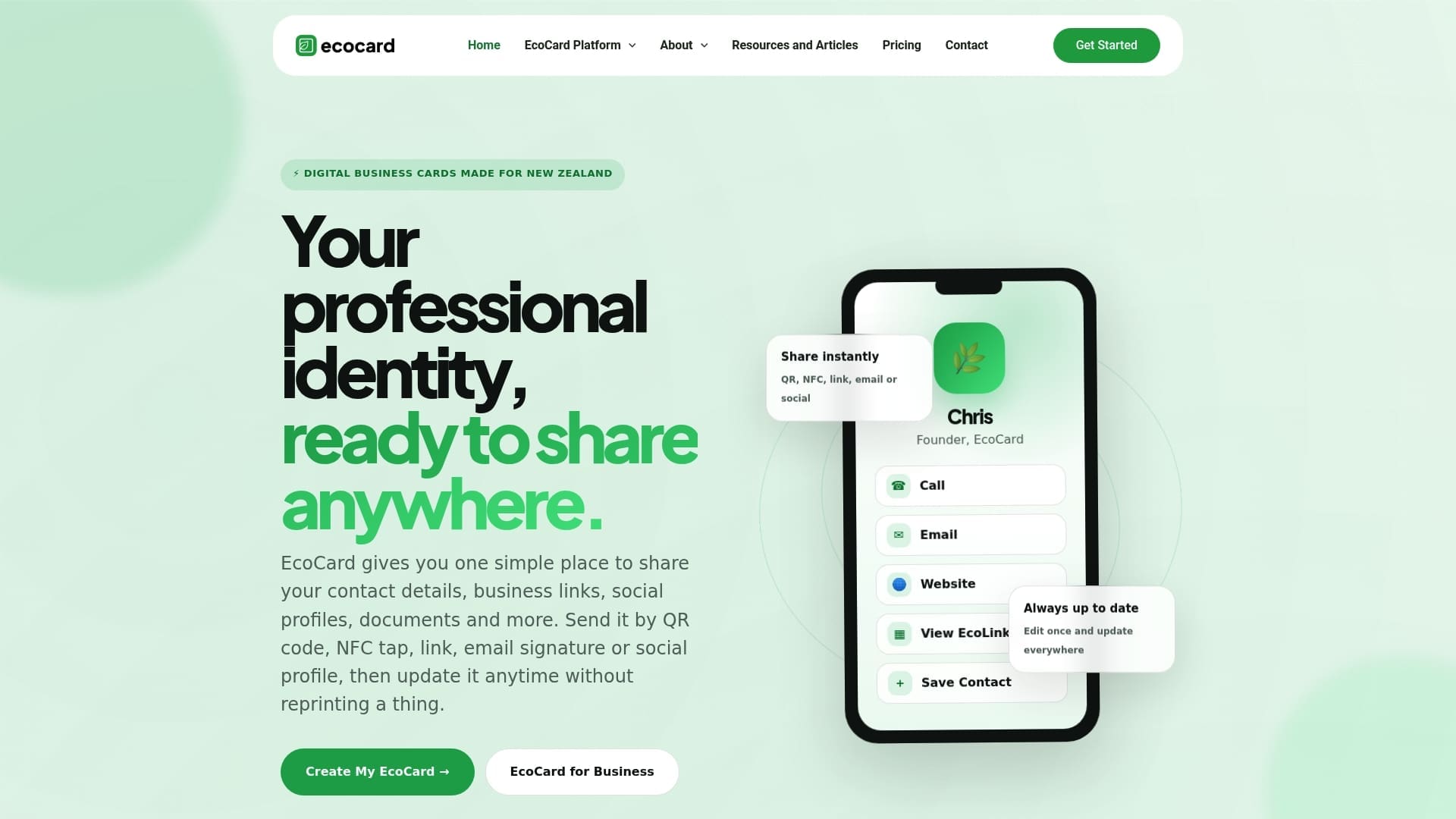
For a team, central management can help keep branding consistent across employee cards and simplify onboarding or offboarding by switching access rather than reissuing materials, sometimes including usage analytics to show which details get used. It suits consultants, small business owners and teams who update their details more than once a year or want one source of truth across staff. Plans start with Individual at $9.99 NZD per month, scaling up through Starter, Business and Teams for larger groups.
Sources
These are the primary references behind the claims made above, useful if you want to verify a detail or go deeper on a specific layer.
- ISO/IEC 18004:2024 — QR code symbology specification
- Google Developers Blog — Google URL Shortener links will no longer be available
- DENSO — QR code history and design
If you outsource monitoring of a QR-based campaign, a marketing partner such as Blindspot’s social media services or an analytics setup from Senior Ad Managers can handle ongoing tracking so a dead link gets caught quickly.
FAQ
Do QR codes expire after a certain time?
No, a correctly produced QR symbol has no expiry date and stays scannable indefinitely. What typically fails is the destination it points to, such as a deleted web page or a closed shortening service, not the code itself.
What is the difference between static and dynamic QR codes?
A static QR code encodes its destination directly and never changes, so there’s nothing to maintain once it’s printed. A dynamic QR code encodes a redirect link you can edit later, which adds flexibility but depends on whoever hosts that redirect staying online.
Can QR codes be reused for different campaigns?
A static code cannot be repointed once printed, since its destination is baked into the symbol itself. A dynamic code can be reused and redirected to a new destination, provided you still control the redirect service behind it.
How do I test if my QR code still works?
Scan it with a few different phone models and camera apps under normal and poor lighting, and confirm the destination loads correctly on mobile data. Repeat this check periodically, since the symbol rarely fails on its own but the destination can move or go offline without warning.
Why did my QR code suddenly stop working?
The most common cause is the destination page being moved, deleted or taken offline, not damage to the printed symbol. It’s also worth checking whether the code relies on a third-party shortening service, since providers can change policy or shut down, as happened with Google’s goo.gl shortener.
Recommended
This article was produced with AI assistance and reviewed for accuracy. It is provided for general information only and is not professional advice.

